Schedule and bookings
Each booking shows its time, room, player count and payment status. Filters help you find the entry you need.
 FRONTLINE VR
Frontline VR
Frontline CRM helps you manage your venue schedule, take bookings and look after guests. Staff see upcoming sessions, while owners can review sales and room occupancy.
CRM opens in a browser. Each staff member’s access depends on their team role.
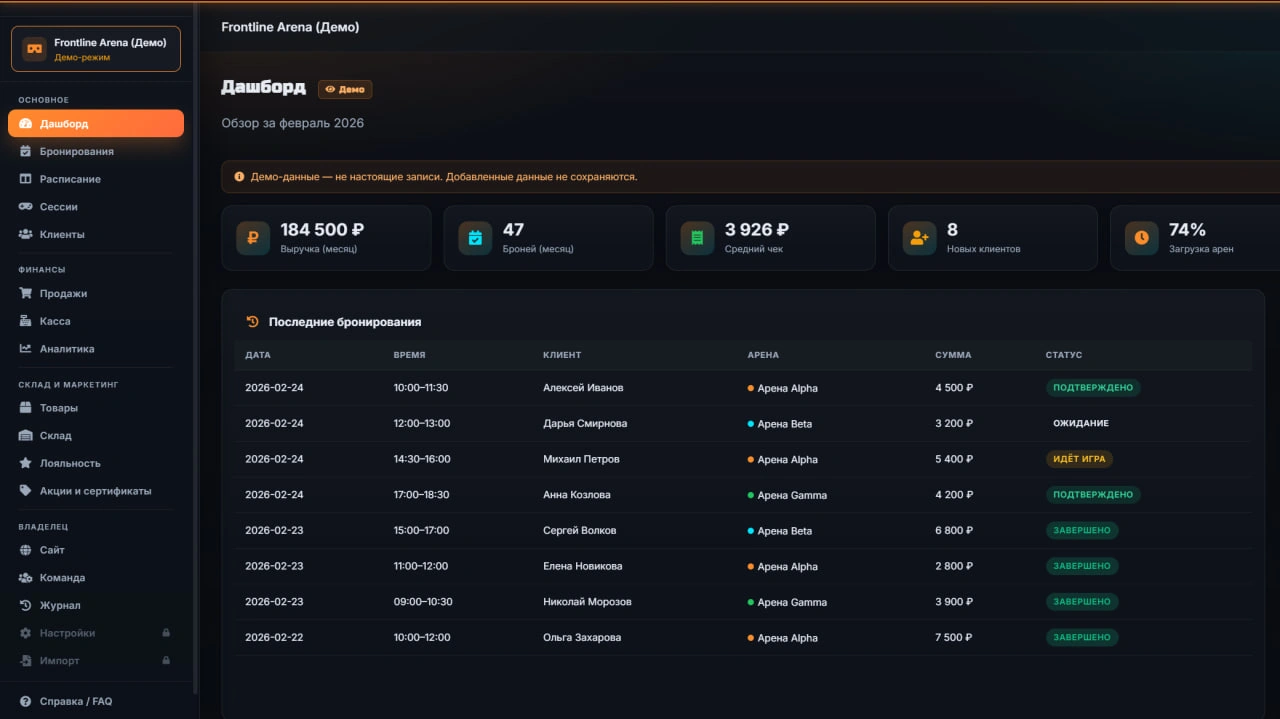
Each booking shows its time, room, player count and payment status. Filters help you find the entry you need.
Save contact details, notes and visit history. Find a guest by name, phone or email.
Record game sessions, gift certificates, products and extra services. Review transactions for a selected shift.
Track stock levels and inventory movements. Use one product catalogue for sales and stock records.
Create promo codes and guest offers. Keep offer terms alongside your other venue information.
Compare revenue, bookings and room occupancy. Choose a period to review your venue’s performance.
The launcher displays bookings and sends Frontline game launch records to CRM. Your team can match a planned visit with the session that took place.
Owners invite staff and assign roles. The activity log helps you see who changed bookings, sales and customer details.
Ask about bookings, reports and settings by voice or text. The assistant offers guidance, while staff make the decisions. Requests use the plan’s AI credits.
Yes. The builder lets you set up branding, photos, descriptions, contacts and opening hours. Access to settings depends on the staff role.
Tell us which system you use and which data you want to move. We will discuss the format and scope before setup.
| Role | Work in the platform |
|---|---|
| Venue owner | Sales, reports and venue utilisation help review daily operations. |
| Operator | Bookings, schedules, guest contacts, sales and inventory are available in the CRM. Staff access follows assigned roles. |
| Guest | The player account shows results, missions, rewards and available venue offers. |
| Marketing team | The assistant, knowledge-base materials and post and banner generators use the plan’s AI credits. |
MINI includes 1,000 AI credits per month and PRO includes 2,000. These are usage limits for the assistant and generators; they do not promise a number of leads or revenue growth.
Before moving live data, test a booking, sale, staff roles and required reports. Discuss data migration and integrations before payment.
Create an account and complete registration to get 14 free days. Contact us if you need help with setup.