Launcher
Check headset batteries and connections, install games and launch a session on selected devices.
 FRONTLINE VR
Frontline VR
Frontline brings games and daily venue operations together. Launch sessions on headsets, take bookings, manage customers and track sales in one system.
Keep your own brand. Games, the launcher and CRM are available by subscription, with no franchise entry fee.
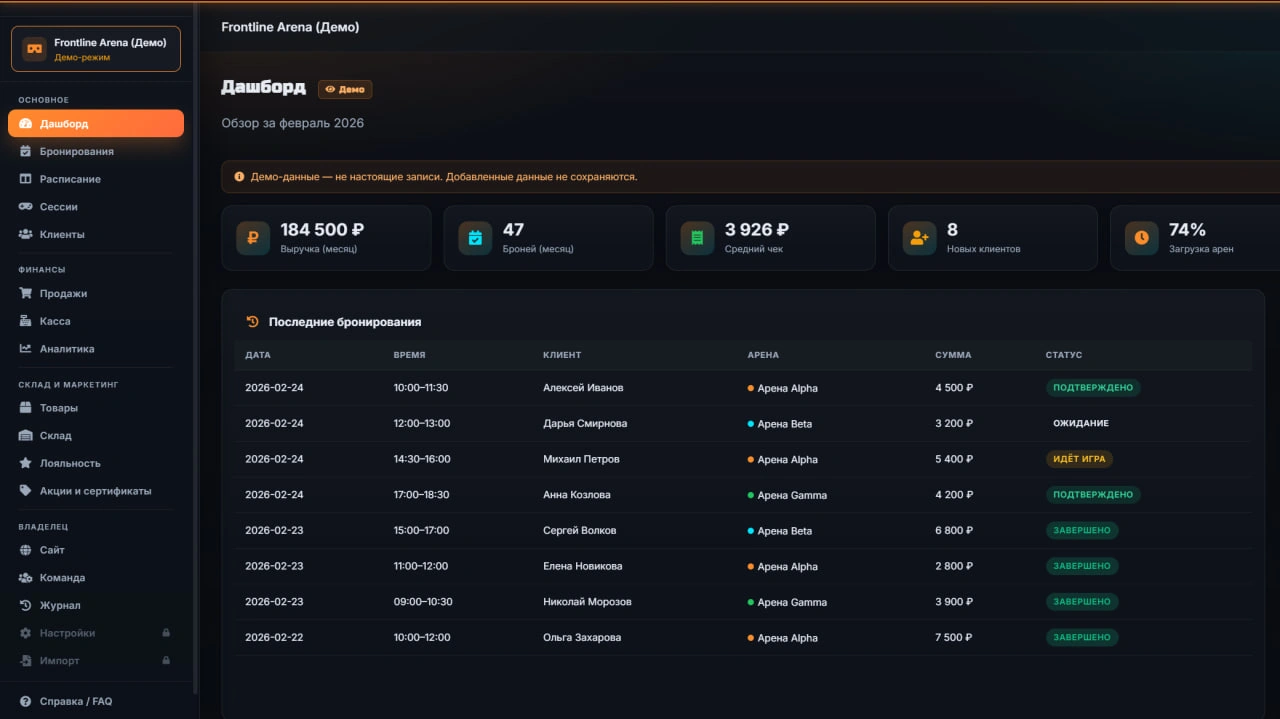
Check headset batteries and connections, install games and launch a session on selected devices.
Keep schedules, guest contacts and payments in one place. Review visit history and reports for your chosen period.
Choose team battles, cooperative survival or mixed reality. Player capacity depends on the mode and floor space.
Add photos, a description, opening hours and contact details. Guests can learn about your venue and choose a time to visit.
Ask the CRM assistant for guidance. Use ready-made layouts and videos, or prepare a post and banner for an offer.
Check headsets and manage sessions in your phone browser when you are away from the computer.
A guest chooses a game and time. CRM holds the booking, contact details, player count and payment information. Staff check the headsets in the launcher and start the session.
After the visit, the details stay in CRM. Staff can prepare for the guest’s next visit, while the owner can review sales and occupancy.
No. Frontline provides software and games by subscription. You choose your venue’s name and branding.
A computer running 64-bit Windows 10/11 and Meta Quest 2, Quest 3 or Quest Pro headsets. The computer and headsets connect to the same Wi-Fi network.
Yes. Create an account and complete registration to get 14 free days. No bank card is needed.
Keep your venue name. Frontline supplies software and games by subscription with no entry fee. Custom software branding, integrations and multi-venue terms are agreed separately.
MINI and PRO prices · Game catalogue · Commercial use terms (Russian)
Create an account and complete registration to get 14 free days. Contact us if you need help with setup.